Welcome to Appery.io

appery_io

The entire team is super excited to launch Appery.io.

First, some history. Appery.io has come a very long way since its roots as a prototype-building tool. Because of its heritage, the service is great at rapidly building mobile apps using a visual IDE. However, the product is now a complete cloud-based platform with integrated backend services and a rich catalog of plug-ins that make it easy to integrate with cloud services (including enterprise systems such as Salesforce.com). We are introducing a new brand to reflect the evolution of Appery.io as well as to support where our platform is headed. Read the rest of this entry »
Complete the New Developer Economics Survey for a Chance at Great Devices

We’re partnering with VisionMobile for their new Developer Economics survey to help them extend their reach and make sure more developers have a chance to make their voice heard. The survey reaches across thousands of app developers and provides the data for VisionMobile’s well-known reports on the state of the developer nation.

Now in its 5th edition, the new Developer Economics survey examines some of the hottest issues of mobile development, such as top mobile platforms, most widely used revenue models, and web vs. native development.

The report will be available for free to the entire mobile community in July.

If you’re an app developer, take the 10-minute survey for a chance at some  great prizes. VisionMobile has 7 devices up for grabs (one iPhone 5, two Samsung Galaxy S III, two Nokia Lumia 920 devices, and two BlackBerry Dev Alpha handsets).

Take the survey now!

Webinars: Monthly Intro to Appery.io Webinars

We will now host an introductory webinar for Appery.io every first Wednesday of the month. There will still be additional in-depth webinars, but we wanted to make sure there would always be a beginner’s webinar “around the corner” at all times. Here’s the next one:

Wednesday, April 3, 2013 11:00 AM – 12:00 PM PST
Register

New Appery.io and PhoneGap Video

The last piece is in for the Appery.io self-training course of videos. We’ve now added:

Lesson 5: Appery.io & PhoneGap Capabilities

In the video, we show how to take advantage of the PhoneGap API with ready-to-use “device services” and data mapping in the Appery.io app builder. For this lesson, we build a simple contacts app and go through the steps of testing it in an Android emulator.

Here is the complete set of lessons from the video page on our help site:

  • Lesson 1: The UI Builder
  • Lesson 2: Data Mapping to a Service
  • Lesson 3: Using the Appery.io Database Service
  • Lesson 4: Web Service Caching
  • Lesson 5: Appery.io & PhoneGap Capabilities
  • Lesson 6: A Windows 8 App with the Twitter API

Each lesson links to a YouTube video. For each lesson there is also a link to a Appery.io backup ZIP of the finished lesson app, which you can open as a new project within Appery.io.

We’ll be updating the series soon, so chime in with any suggestions

Appery.io Self-training Video Course

We’ve started a Appery.io self-training course of videos. These lessons are linkable now from our video page on our help site:

  • Lesson 1: The UI Builder
  • Lesson 2: Data Mapping to a Service
  • Lesson 3: Using the Appery.io Database Service
  • Lesson 4: Web Service Caching

Each lesson links to a YouTube video. For each lesson there is also a link to a Appery.io backup ZIP of the finished lesson app, which you can open as a new project within Appery.io.

What’s next?

  • Lesson 5: Advanced PhoneGap API with Appery.io

Stay tuned!


Webinar: Appery.io Platform Built-in Back-end Services

UPDATE: The date for the webinar has been changed to:

Wednesday, February 20, 2013 11:00 AM – 12:00 PM PST

Appery.io isn’t just a mobile app builder. As a mobile app platform, it also provides a growing list of back-end services (like a database service) for seamless integration into the apps. Join Max Katz, Appery.io developer evangelist, for this hands-on demo and overview of the currently available back-end services and the road map for the future. There will be plenty of time set aside at the end for Q&A.

Thursday, February 7, 2013 11:00 AM – 12:00 PM PST
Register

New Features: Source View, jQuery Mobile Themes with ThemeRoller, Android Permissions, New Components, and Pointer/Array Data Types in Database

We just added some really cool features to Appery.io Platform. Check them out!

New Source view

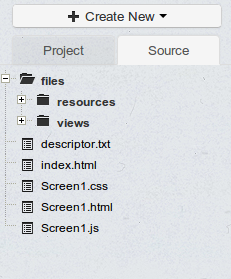
As we continue to make Appery.io Platform enterprise-level, just just added a Source view where you can see and open the actual files behind your app. Right now the files are opened as read-only but we are working on allowing you to modify them as well.

source

jQuery Mobile themes

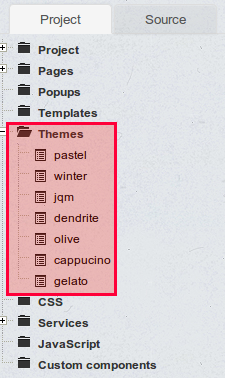
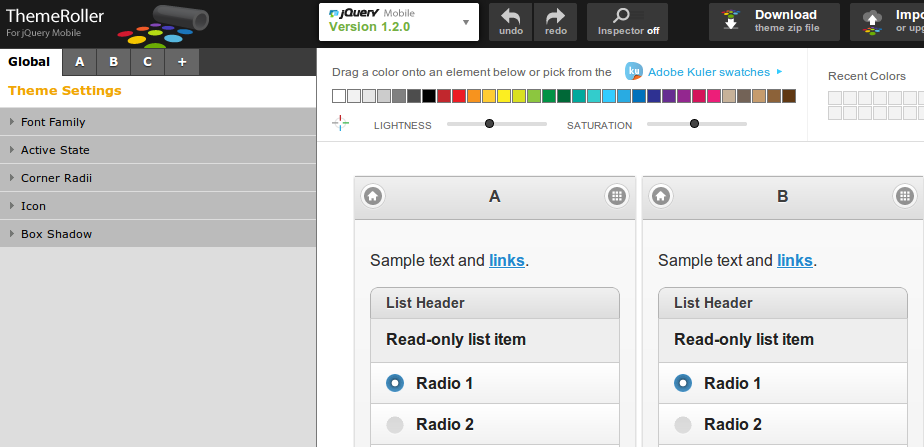
We got all our custom themes back and you can also create new themes using the jQuery Mobile ThemeRoller tool. Simply create your theme in the tool, download and then upload to Appery.io. It’s that simple.

themes

jQuery Mobile ThemeRoller site:

themeroller

Once you create a new theme, select Create New > Theme and upload the theme you created.

Android permissions

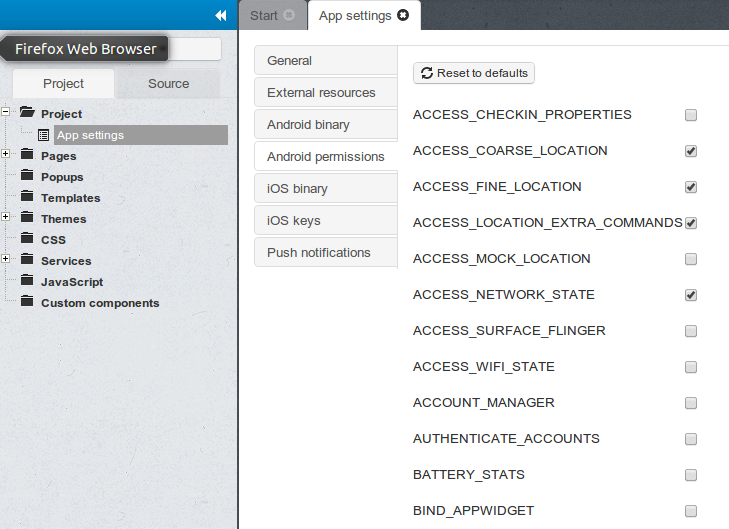
You have been asking for this feature and now it’s here. Customize the permissions for your app before building a binary.

permissions

Binary build errors log

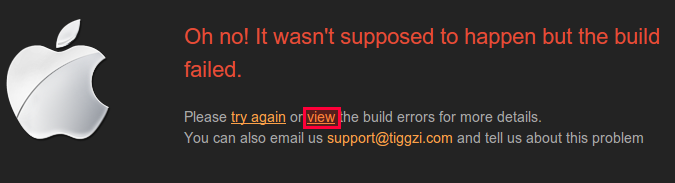
You no longer need to email support to find out why the binary build failed. You can now view the error and try to fix it:

buildfailed

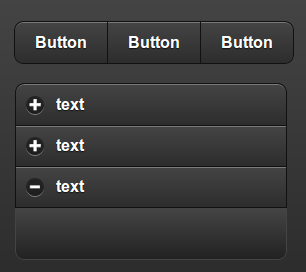
New UI components

We added two new jQuery Mobile components, Grouped Buttons and Collapsible Set:

newcomponents

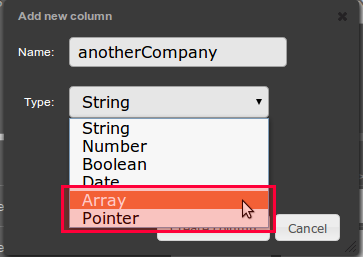
Pointer and Array types in database

On the Backend Services side, we added two new data types to the database: Array and Pointer:

newdatatype

New tutorials and getting help

Don’t forget to check our new tutorials and as always, if you have any questions let us know via email, forum or @apperyio.


New AT&T OAuth API Plug-in To Make it Easy to Build Apps with AT&T API

To make it easy to build apps with AT&T API, we just added the AT&T OAuth API Plug-in. The plug-in sets up the OAuth 2 authentication by returning an access token which then can be used to invoke any other AT&T API.

To import the plug-in, select Create New > From Plug-in > ATT OAuth API:

Selection_926

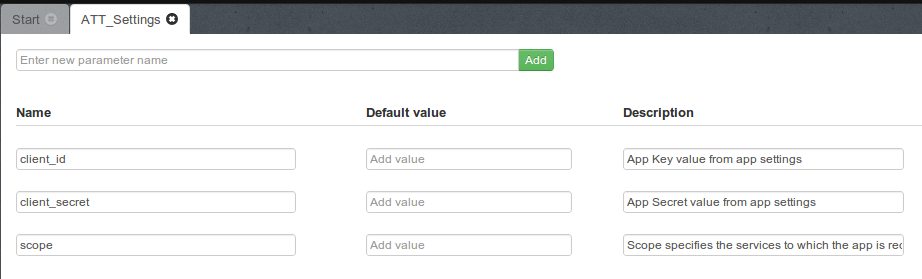
Once the plug-in is imported, open ATT_Settings file:

Selection_927

and set the client_it, client_secret, and scope. The client_id, and client_secret will be available once you register an app at http://developer.att.com. The scope value depends on the API you are going to use. For example, if you the Location API, it will be TL. Refer to docs for the correct scope for each API.

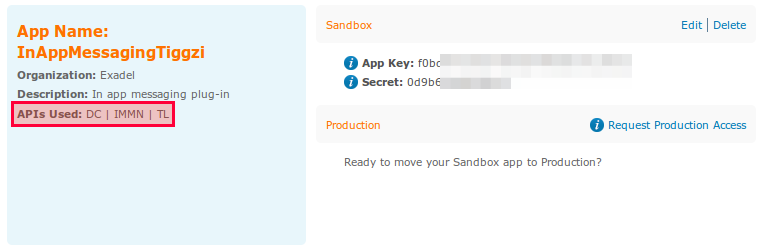
Here is an example of a registered app with three scopes (in red):

Selection_928

One more thing that needs to be set is the OAuth 2 redirect (or callback URL) in app settings

Selection_929

For the callback URL to work correctly, also do the following in the Test window (upper right):

  1. Uncheck Open in mobile frame
  2. Make the app pulbic

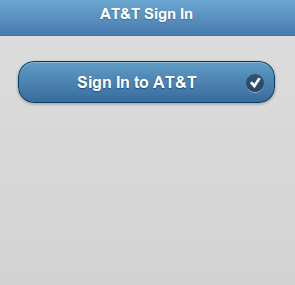
When running the app and you are not signed in into AT&T, you will see this page:

Selection_931

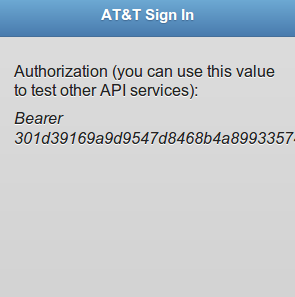
when signed in, you will see the access token:

Selection_930

The access token is also stored into local storage so you can use it to invoke other AT&T APIs.

Send Mesages with New AT&T In App Messaging API Plug-in

Webinar: Building Windows 8 Apps with Appery.io Platform

Join Max Katz, Appery.io developer evangelist, for this quick review of how to build a Windows 8 app using the Appery.io app builder. Then, in an expanded Q&A session, Max will hold “office hours” to answer any questions you might have about Appery.io.

When: Thursday, January 17, 2013 11:00 AM – 12:00 PM PST
Register: https://www1.gotomeeting.com/register/214517057