Copying an entire screen to another project

As a business analyst I am making prototypes for the a new project in Appery.io.  Like many other projects, this one has a public and admin parts.  I created a prototype for the public portion of the application, implying that this functionality would be available for all logged in users, however the customer corrected me and noted that it would be available for admin users only.  I have two Appery.io projects: admin part and public part of the site so I tried to just copy from “public” part and paste to admin part with no luck!  I got puzzled and wondered how I could do that. Here is the solution I would like to share.

The solution is quite simple.

1. Open the project where you have the screen that you want to move to another project.

2. Navigate to Project>Clipboard Import/Export menu to open the Local Import/Export dialog. In the dialog click Export.
Read the rest of this entry »

New mobile control in Appery.io prototypes: collapsible block

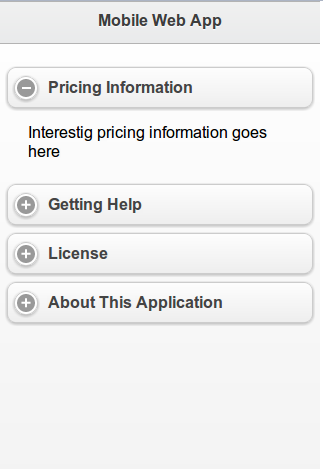
Last week we pushed Appery.io version 1.2.4. Besides bug fixing, we added a new mobile control: Collapsible Block. You can place any other controls inside and the block is collapsible in design as well as in Web Preview. See how it actually looks in a browser (try to expand/collapse the block).

Appery.io prototypes review by analyst.by

Two new jQuery Mobile based components in Appery.io prototypes

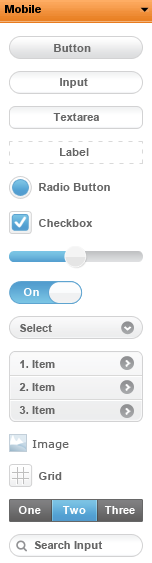
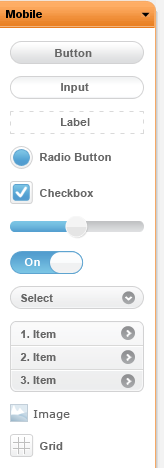
With Appery.io 1.2.3 release this week, we have added two new mobile components based on jQuery Mobile. The two components are Navigation Bar and Search Bar. They are the last two components in this screen shot:

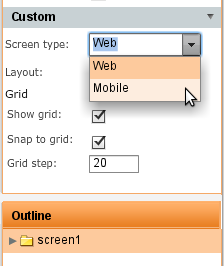
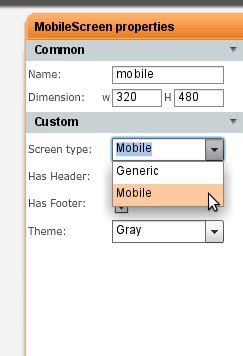
To switch between Web and Mobile prototypes, click anywhere in the whiteboard and in Properties view select the screen type:

Quickly align any number of controls in your prototype

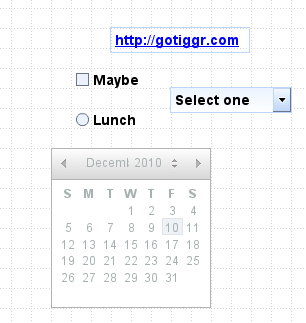
Let’s say you start with a prototype and drag and drop a number of controls on to a screen:

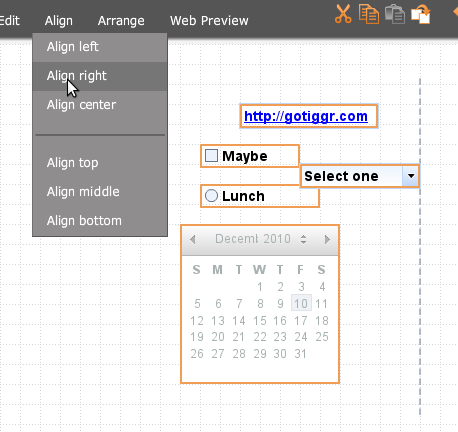
Now you need to align all controls. One way is to take each control and align it, but that’s too much work. In Appery.io, you can quickly align any number of controls. With the mouse select the controls and then select Align from the menu at the top and pick your option:

Selecting Align Right:

Update to Appery.io collaboration – now works behind any firewall

After a major 1.2 release which included mobile palette based on jQuery Mobile components, we pushed a minor 1.2.2 update mostly with bug fixing and other improvements. One important update in 1.2.2 is that collaboration now works behind any firewall. Before this release, Appery.io used a port other than 80 for collaboration. We heard from users who are behind a firewall that collaboration just didn’t work for them. We updated Appery.io collaboration to work with port 80 so now everyone will have this feature working. Give it a try and let us know what you think.

Appery.io 1.2.1 release: mobile prototypes and controls based on jQuery Mobile

We just released Appery.io version 1.2.1 and the biggest new feature is mobile palette which lets you build mobile prototypes and of course preview them. Mobile controls are based on jQuery Mobile. Other new features are reorder screens with drag and drop, preserve ratio for uploaded images, round corners for components and component duplicate option.

To see the entire list of features, just go to https://appery.io. For any questions, suggestions and feedback, go to Appery.io forum. Let’s review all the new features in this release.

Mobile palette and prototypes

With mobile palette based on jQuery Mobile controls, you can now create prototypes for iPhone, Android, BlackBerry or any other mobile device and preview them in any browser (of course we recommend a mobile browser). To activate the mobile palette, switch Screen Type to Mobile in screen properties and get jQuery Mobile based controls:

Use the grid control to help you with layout and don’t forget that you can always preview the mobile prototype by selecting Web Preview/Open:

Read the rest of this entry »

Sharing your project

Max already mentioned in his posts how you can collaborate using Appery.io, in this post I want to elaborate little bit more on this.

What collaboration tools Appery.io provides?

  1. Project sharing
  2. Whiteboard synchronization
  3. Built-in chat
  4. Prototype sharing
  5. Export as HTML bundle

Now let’s take a look at each of them.

Read the rest of this entry »

Preview prototypes anywere, even on iPad, iPhone

Appery.io whiteboard was created using Flash. Why did we use Flash and not HTML? Well, today Flash is still the more powerful and flexible solution for this particular job. We knew that today we would have to do a lot more work to create the same functionality in HTML5. But, it’s something we are considering for the future. So, if you try to access Appery.io from iPad, well, you know what’s going to happen (Thanks, Steve). But, not everything is lost! One of the unique and rather powerful features in Appery.io is Web Preview. Web Preview generates standard HTML/JS/CSS and allows you to preview the prototype in any browser, any mobile device and yes, even on iPad and iPhone. This makes it possible to send prototype Web Preview to anyone and ask for their feedback. Isn’t’ this cool? Your boss or customer sitting in a coffee shop, airport, or anywhere else with their laptop, mobile phone or iPad can now review the prototype with just one click! Appery.io Web Preview is interactive, you can click on various controls to open them up such as calendars and navigate between pages.

And one more thing, we are coming with a specialised mobile palette based on jQuery Mobile components. You will soon be able to build prototypes for mobile devices!

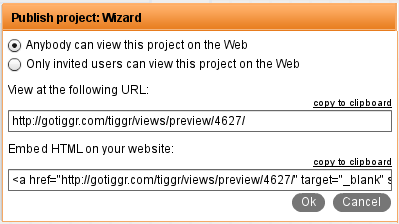
  1. First, select Web Preview/Share and choose who can view the prototype:
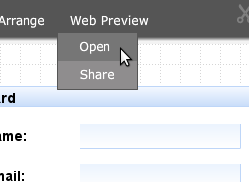
  2. Then, select Web Preview/Open
  3. A new page will open (click the link below to see it in action). Go ahead and open this link on Android, iPad or iPhone. Try it!

Managing your assets

Appery.io provides a very handy way of managing your assets.

Let’s see how you can add an image to your mockup.
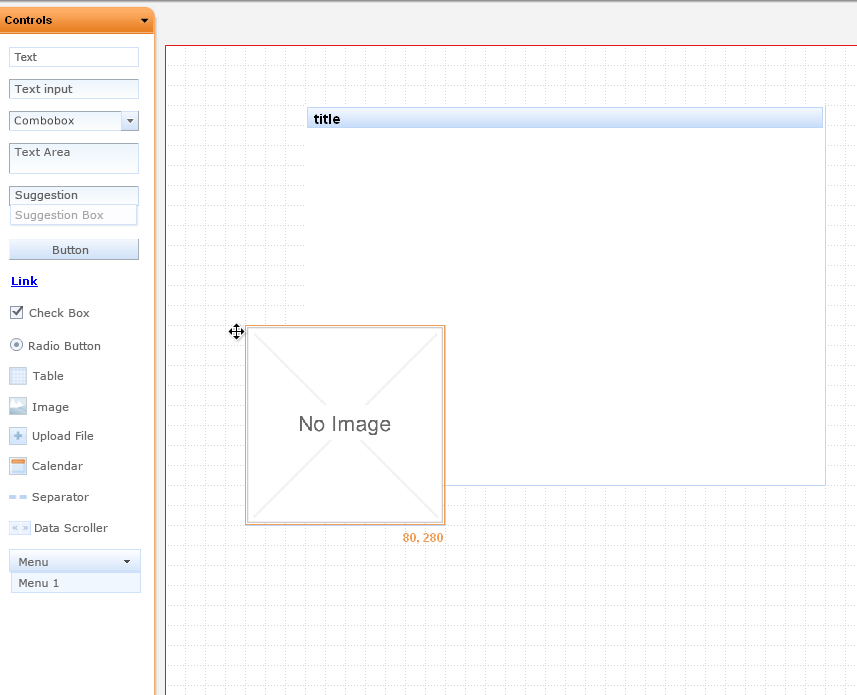
1. Drag and drop an image component from the palette.
adding image to Tiggr

adding image to Appery.io

Read the rest of this entry »