Give me layout

Layout is crucial in any design. Luckily, Appery.io provides 6 different and customisable layout containers to help you that. All the available layout controls are available via Containers palette:
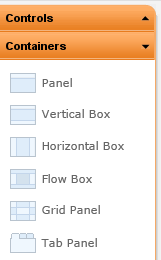
The first one is Panel:
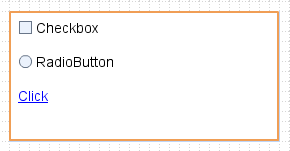
Panel is more or less a general-purpose container where the layout is set to vertical by default. You can change the layout flow in properties:
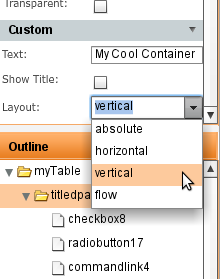
Next is Vertical Box in which the layout is set to vertical by default:
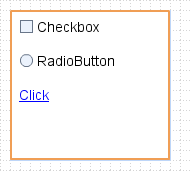
Horizontal Box sets layout flow to horizontal:

Flow Box sets layout flow to flow:
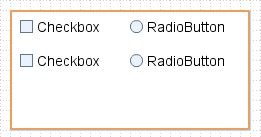
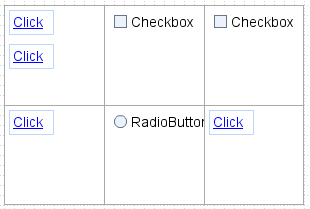
Grid Panel divides a panel into equal size squares inside which you can place other controls:
One more is the Tab Panel:
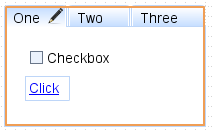
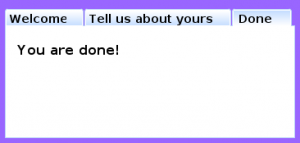
It’s possible to create (and edit) any number of tabs and place any controls inside them:
Enjoy layouts!
Navigating between pages

Appery.io prototypes are interactive. For example, when you place a tab panel and then view the prototype in a web browser, you can switch between the tabs. We recently made the Appery.io prototypes even more interactive. It’s now possible to navigate between pages (screens). When you use a button, link, or an image you get an option to specify to which page to transition. When running in Web Preview, you will simply navigate to a different page, just like in real application. Well, making it as real as possible is the whole idea behind Appery.io.

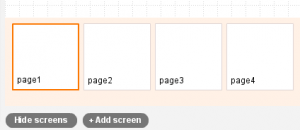
Let’s see an example of a multi-screen wizard. First, there are four pages:

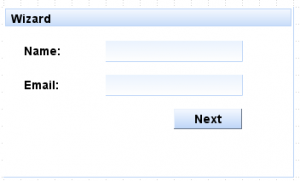
This is the first page:

View other pages in prototype in web browser.

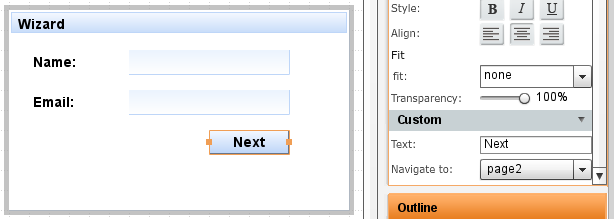
If we select the button and look at its properties, we get this:

Once a button is selected, you will see Navigate to option in properties. There it’s possible to select any of the available screens. When viewing the prototype in a web browser, clicking this button will navigate to page 2.

Other controls which support navigation are link and image.

You probably want to see how this works? Just click here to view the prototype in web browser. In addition to links, you can also switch between pages by using the drop down menu at the top of the page.

Our goal is to make the prototype as real as possible.

Sharing Appery.io prototypes

There are multiple ways to share a Appery.io prototype project. One of the first features in Appery.io was collaboration. During prototype design you can invite anyone to collaborate with you on the prototype in real time. You can invite a colleague working from home or a remote team in another country. There is a even a chat feature. Another way to share is to send a link to the Web Preview of the prototype. This is great if you want to show how the prototype looks in a web browser to a customer. We recently launched another way to share the prototype (the old school way). You can export the entire project into a zipped HTML bundle file and then share the file. Web Preview version (HTML/JS/CSS) will be generated for each screen in prototype and zipped together.

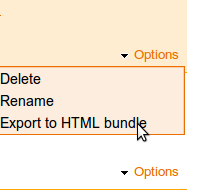
From Projects page, select Options/Export to HTML bundle:

Appery.io prototypes dynamic widgets

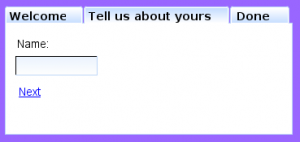
One of the neat features in Appery.io prototypes is dynamic widgets. Let me explain. Let’s say you have a tab panel with three tabs. Different content goes into the three tabs. When you design mockups or wireframes, there is probably no simple way to show what content/widgets go inside the tabs which are now shown. With Appery.io, it’s very simple because the tab widget is dynamic. In other words, you can click on the tab and switch between them. This way you can place different content into the tabs during design as in real application. When you do Web Preview and generate prototpy HTML/JS/CSS, you can switch between the tabs as well.

First tab:

Second tab:

Third tab:

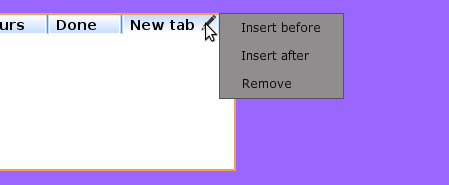
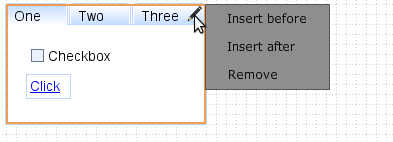
To edit tab label, just double-click on the text. And, to add/remove tabs, click on the tab and invoke the context-menu as shown:

Appery.io prototypes: new address, new blog

A few weeks ago we launched a new address for Appery.io: https://appery.io. Today we are also launching a new blog https://blog.appery.io. This blog will cover Appery.io, web and mobile application prototyping, design and everything related. It will also cover new features, tips and articles. Come back often.

Some latest features in Appery.io: