Video Tutorial: How to Expose a Custom SQL Query as a Login REST API Service

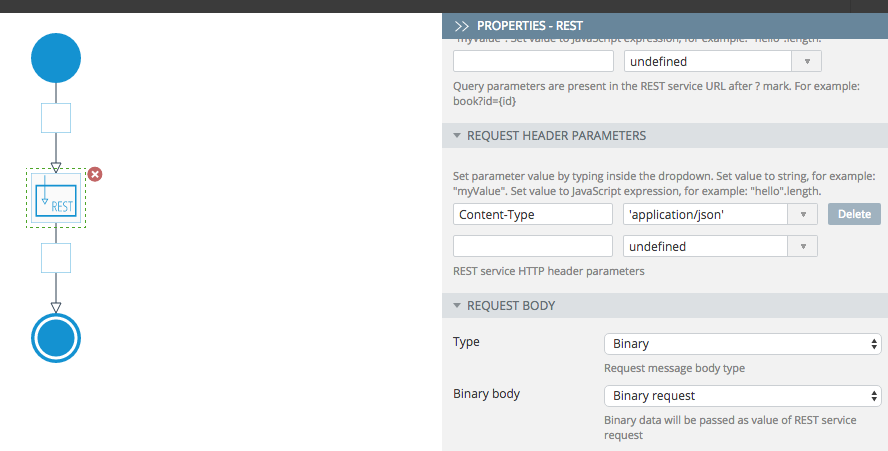
This video shows how to use the SQL and Script components to build a Login service. The SQL component runs a custom SQL query to check if a user exists in a database. The Script component adds custom logic to check what the SQL component returned and defines the response (user found or user not found).

Want to learn more how to connect to enterprise data source? Watch our API Express playlist.

Updates to Salesforce Import Service Inside the App Builder

Please read about upcoming changes here. It’s important to understand that invoking Salesforce APIs (or any APIs) is now perfomed using the Server Code or API Express. This update only impacts the App Builder (development time).

How to Validate an Email Field in a jQuery Mobile App Using a Regular Expression

pablo (45)

Validating an email entered on a form is one of the most fundamental requirements in any mobile app. In this blog post, we are going to show you how to validate an email input field using a regular expression. This blog post is a follow-up to How to Add JavaScript Form Validation to a Mobile App post.

Validating an email input field using a regular expression is very simple. Here is the code to perform email validation.

// Read a value from the email input component.
// Apperyio() is a quick wrapper for a jQuery select
// emailInput is the name of the UI component
// It's possible to use jQuery directly as well
var emailInput = Apperyio("emailInput").val();

// Regular expression to validate email input value
var re = /^(([^()[\]\\.,;:\s@\"]+(\.[^()[\]\\.,;:\s@\"]+)*)|(\".+\"))@((\[[0-9]{1,3}\.[0-9]{1,3}\.[0-9]{1,3}\.[0-9]{1,3}\])|(([a-zA-Z\-0-9]+\.)+[a-zA-Z]{2,}))$/;
var test = re.test(emailInput);

// condition check part
if(test) {
    alert ("Everything is good.");
}
else {
    alert("Invalid email entered. Please try again.");
}

You can quickly add this code to any app inside a JavaScript file and reuse. Looking for more examples and how-tos? Check out YouTube channel for large number of short videos.

How to Add reCAPTCHA to an Ionic App

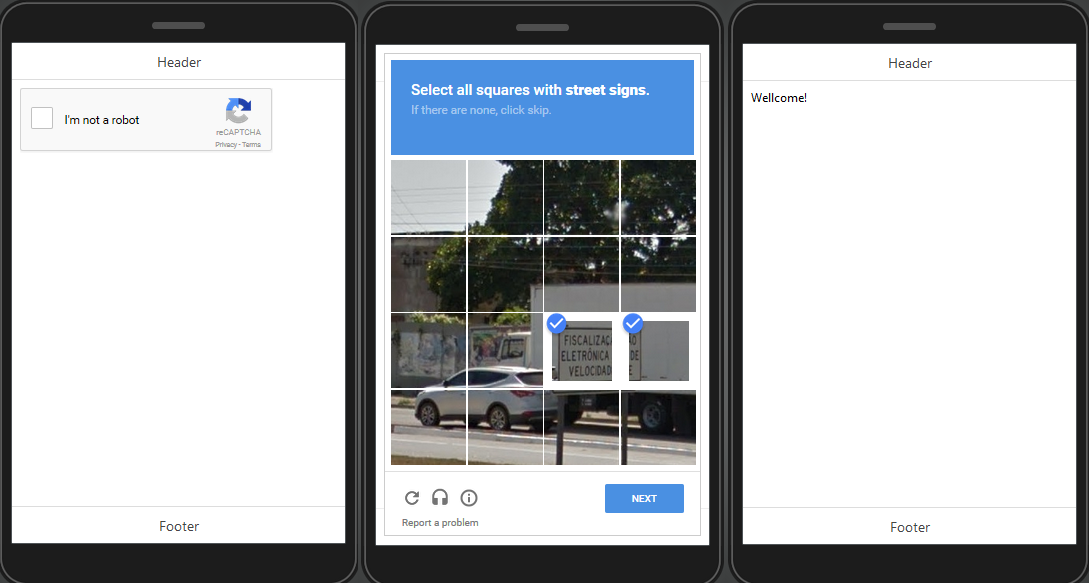
reCAPTCHA is a nice service that usually added to a registration form and helps prevent bots from registering automatically. The service usually displays a small and easy challenge to a human but which would be difficult for a bot to answer. In this blog post we are going to show you how to add reCAPTCHA to an Ionic app.

Let’s start.

  1. Create a new Ionic app based on Ionic Blank template.
  2. Go to https://github.com/vividcortex/angular-recaptcha, download vcRecaptcha.js, and unzip the file.
  3. Inside the App  Builder, go Create New > JavaScript, name it vcRecaptcha, check Upload from file and select the angular-recaptcha.js file from your drive. For type, select Angular module and click Create JavaScript.
  4. Now, open Screen1 and add an HTML component to the page.
  5. Under the Properties panel, click Edit and add the following code:
    <div vc-recaptcha key="'XXXXXXXX'" on-success="onSuccess()"></div>
    

    where 'XXXXXXXXX' is the key generated on https://www.google.com/recaptcha/admin (your key must be inside the double quotes).

  6. Switch to Scope view and add a new function, name it onSuccess, and add the following code to the editor:
    Apperyio.navigateTo("Success");

    onSuccess() is the scope function that executes when the correct Captcha is entered (here, another page will open).

  7. To demonstrate this, create a new page and name it Success. Add a Text component to the page and paste Welcome! for its Text property.
  8. Also, if you want to add a solving annotating images to your reCaptcha, go to Project > Routing, click Manage dependencies for Screen1, and check reCaptcha.

That’s it. You are ready to test your app with the reCAPTCHA.

reCaptcha

reCaptcha example.

Looking for more examples? Check out our sample apps list. Every app has preconfigured app UI and app backend for you to try.

Learn How to Build an Ionic App with an RSS Feed [Video]

Looking to add an RSS feed into your Ionic app? This video shows you to display an RSS feed inside an Ionic app.

Learn from other short YouTube videos on the Appery.io channel.

How to Build an App with API Express and External REST API

This short video shows how to build a complete app with an external REST API. This video covers:

  • Using API Express to connect to an external REST API. https://randomuser.me/ is used for the API.
  • Importing API Express service into the app (App Builder).
  • Designing the app UI (1 page).
  • Binding and using the service from the page.
  • Testing the app.

Looking for more videos? Visit our YouTube channel for many more short videos.

Update on Upcoming New Pricing

Hi there – this is John, Appery.io CEO.

There has been a fair amount of discussion on the recent change in pricing for the Appery.io platform. I do want to assure you all that we are reading, listening, and we do understand the concern. We are grandfathering existing customers to their plans, but even without that, the change would actually affect a very small number of our customers as our platform is very efficient in the use of API calls, etc..

These changes should only impact a few of our customers that have the higher levels of consumption and need high levels of support and SLAs. For those customers you can contact us and we can work with you on an appropriate business model.

For the vast majority of customers, the only effect is that you will end each month having consumed 50% or 75% of the allowance versus an extremely small percentage.

By doing this, we are moving our high consumption customers to appropriate plans so that performance and quality of service is maintained for all. Please post any comments or questions and I will be happy to answer them.

 

Video: How to Import Backend Services APIs Into Your App

This short video shows how to import backend services APIs into your app. Appery.io services consist of a cloud database, Server Code for custom app logic, and API Express for enterprise integration and service orchestration.

Our YouTube channel has many more short videos where you can learn how to build apps fast with Appery.io.

Upcoming New Pricing – Consider Subscribing at Today’s Price

Update August 25: Please see a message on pricing from our CEO.

On August 30th, 2016 we will be revamping the online pricing for the Appery.io platform. Although pricing will be generally higher reflecting the significant enhancements we’ve introduced, we will grandfather in existing paid subscriptions.

Subscribe Today

If you are considering subscribing or upgrading your plan, you may want to do so before August 30th to be grandfathered in at today’s prices. Your price will be locked unless you make changes later. This is a great time to lock in the annual plan (or monthly) which has a big discount included. Please see the note about grandfathered plans at the end of this post.

New Pricing

To simplify the pricing there are now three plans: Pro, Team, and Enterprise.

The Pro plan is good for individual developers or small teams. The plan comes with 1 developer seat, and you can add 2 more developer seats to join your team.

The Team plan is for larger mobile development teams coming with 6 developer seats.

The Enterprise plan is for small, medium and large enterprises. The Enterprise plan may have any number of developer seats, apps, or API calls. It has private cloud or on-premise installation option, SLAs, and premium support.

We have also simplified and consolidated the platform API calls. There is now a single count for all platform API calls which includes: Database, Server Code, Push Notifications and API Express.

New pricing:

Pro Team Enterprise
Cost $90/month (or $60/month annual) $200/month (or $135/month annual) Starts at $2,000/month
Apps 3 7 Any
Seats 1 included (add 2 more) 6 included Any
API calls 50K 200K 1 Million or more
Overages $0.0020/API call $0.0020/API call $0.0020/API call or less
Storage 2Gb 5Gb 10Gb or more
Support Forum and email Forum and email Email with priority
SLAs Best effort Best effort 99.90% or higher

Grandfathering Information

About grandfathering current subscriptions (Basic, Standard, Pro, and Premium): Current paid subscriptions will continue with existing prices until a change is made to the subscription. Any change in the subscription will require the customer to change to one of the existing/current plans at the time of the change. For example, adding or subtracting developer seats, upgrading or downgrading a subscription, or letting a subscription expire without payment will require the selection of one of the new plans, at the new pricing. If you subscription expires or cancels due to no payment, you will need to select from one of the existing/current plans as well.

Appery.io App Builder Now Remembers the Size and State of Panels and Editors for Better Developer Experience

ionicapp_myapp

Appery.io App Builder – Ionic app.

One of the biggest pet peeves developers have is when they lose configurations, settings or default views they set in their development tools and need to reconfigure everything again. We are happy to share with you that we solved one of these pet peeves. When working in Appery.io App Builder, the platform now remembers the size and state (open/close) of the following panels:

  • Properties panel
  • Components panel
  • Outline panel
  • Open/close state for an editor, including sub-tabs inside the particular editor
  • Events panel (jQuery Mobile app)

This means if you resized the Properties panel or the Events panel and come back to this app, the App Builder will remember the settings you set for these panels. If you opened four tabs to edit pages and come back to edit this app in two days, we will remember what pages you have opened and will also remember which sub-tab you had opened (Design/Scope/Binding for AngularJS and Design/Data for jQuery Mobile).

A quick note on where this information is saved. The settings are stored in browser’s local storage. This means if you open the app in another browser/computer, your previously saved settings on another browser/computer will not be applied.

We think this is a great improvement and greatly improves the developer experience. Try it today and let us know what you think.